
Connect in one command
The claude mcp add line for Claude Code, a config.toml entry for Codex, JSON for Cursor, and a stdio bridge for Claude Desktop.
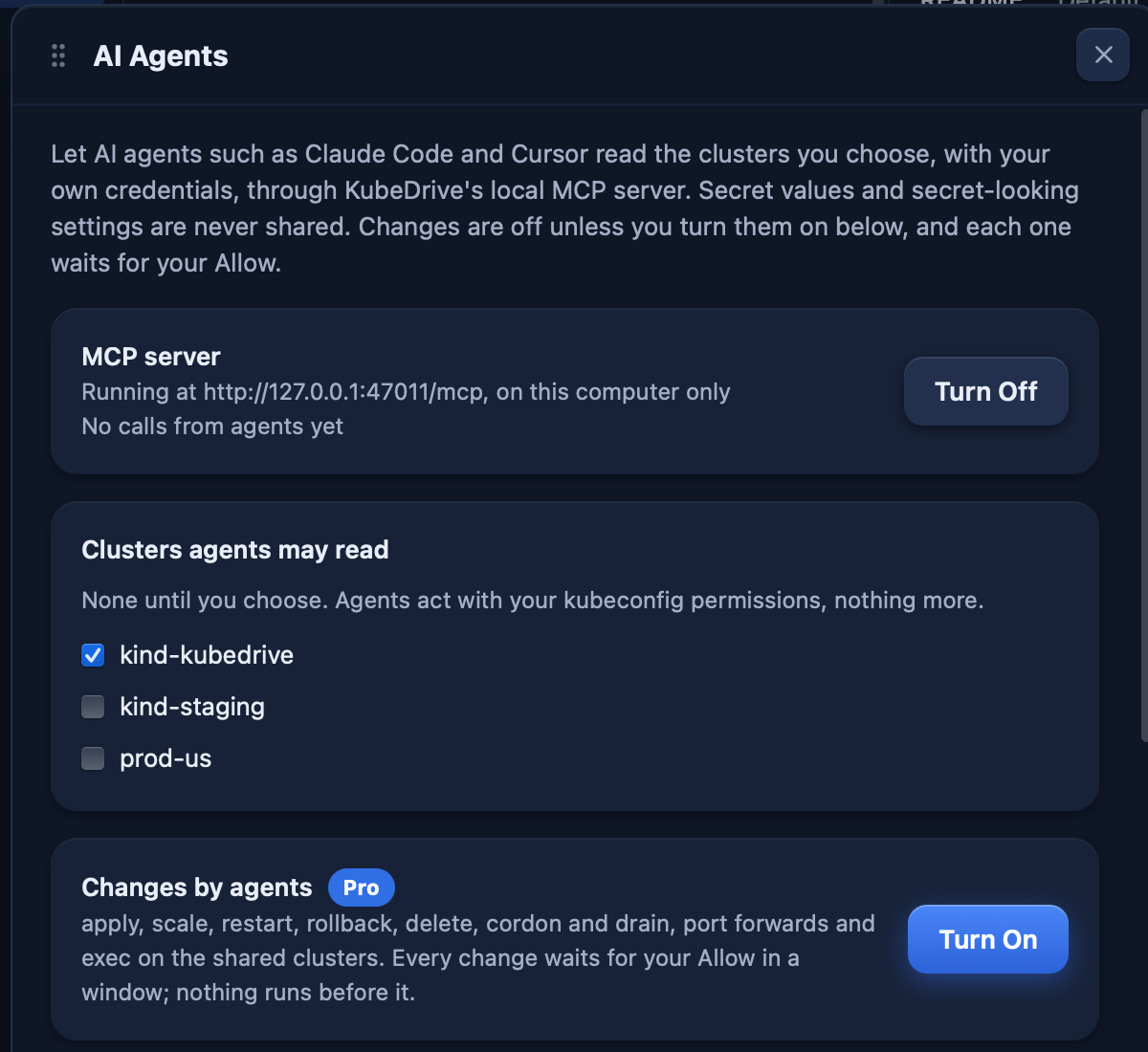
KubeDrive serves the clusters you choose to AI agents at 127.0.0.1, on your computer only. The agent asks KubeDrive and never gets a kubeconfig or a token.
brew install --cask aleksskoz/tap/kubedrivemacOS 13 or later · Apple silicon and Intel · signed and notarized by Apple
Windows 10 1809 or later, Windows 11 · not code-signed yet: More info → Run anyway
sudo apt install ./kubedrive_0.6.7_amd64.debDebian 13, Ubuntu 24.04, Fedora 40 and newer · GTK 4 and WebKitGTK 6.0 come as dependencies
Free forever for two clusters · Pro free for 14 days, no card
The claude mcp add line for Claude Code, a config.toml entry for Codex, JSON for Cursor, and a stdio bridge for Claude Desktop.
Lists, YAML, events, logs, diagnose, cluster_problems, broken_links, timeline, upgrade_check, rightsizing, top, check_access.
Namespaces it may read, Secrets hidden entirely, actions allowed one by one.
Each change opens a window with the diff; the agent waits up to two minutes. Propose-only mode saves it as a proposal instead.
The robot icon lights up on each call and counts them.
delete, exec and drain stay off until you enable them, and each call waits for your Allow.Free for two clusters of any size. No account, no card: open KubeDrive and pick a context.
brew install --cask aleksskoz/tap/kubedrivemacOS 13 or later · Apple silicon and Intel · signed and notarized by Apple
Windows 10 1809 or later, Windows 11 · not code-signed yet: More info → Run anyway
sudo apt install ./kubedrive_0.6.7_amd64.debDebian 13, Ubuntu 24.04, Fedora 40 and newer · GTK 4 and WebKitGTK 6.0 come as dependencies