AI assistant
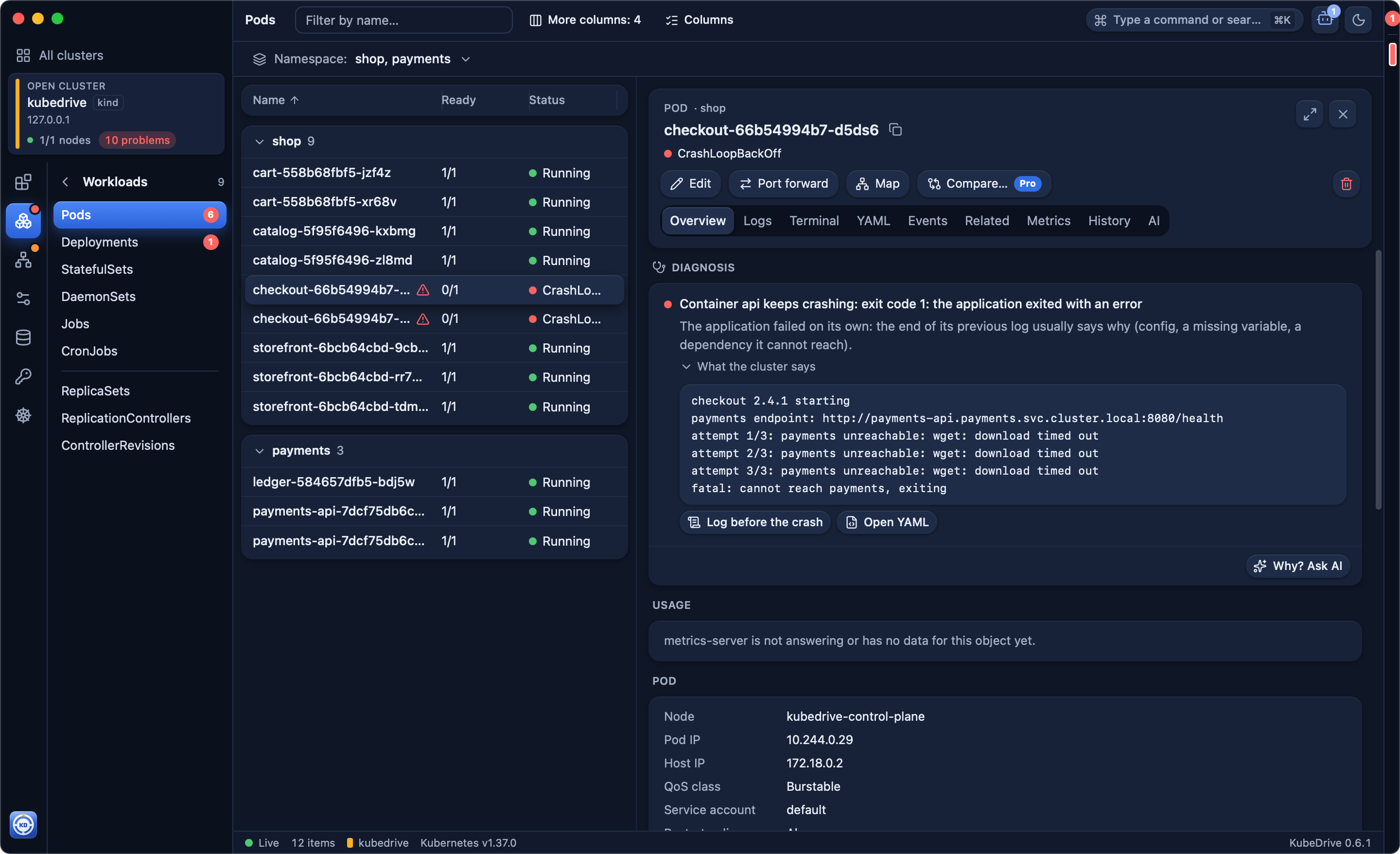
Why a pod is failing, found by rules first, without AI: the cause, the evidence from events and logs, and a fix. Ask the assistant for more, with your own key: Claude, OpenAI or a local model.
KubeDrive is a fast, native client for your clusters on macOS, Windows and Linux. See what needs attention, dig into any resource, follow logs and open a shell — without leaving the keyboard.
brew install --cask aleksskoz/tap/kubedrivemacOS 13 or later · Apple silicon and Intel · signed and notarized by Apple
Windows 10 1809 or later, Windows 11 · not code-signed yet: More info → Run anyway
sudo apt install ./kubedrive_0.6.7_amd64.debDebian 13, Ubuntu 24.04, Fedora 40 and newer · GTK 4 and WebKitGTK 6.0 come as dependencies
Free forever for two clusters · Pro free for 14 days, no card
A crash loop found and explained, logs merged across a Deployment, port forwards, the upgrade check, and Claude Code reading the cluster through KubeDrive. Recorded on a local kind cluster, no cuts.
Why a pod is failing, found by rules first, without AI: the cause, the evidence from events and logs, and a fix. Ask the assistant for more, with your own key: Claude, OpenAI or a local model.
What breaks on the next Kubernetes version, before you upgrade: removed APIs in Helm releases and applied manifests, clients still calling them, nodes too old.
Requests and limits from what containers really use, by the cluster's Prometheus: what is at risk of being killed or throttled, and what reserves room it never uses.
How a namespace's Ingresses, Services, workloads, pods and config connect, and which link leads nowhere: a Service with no pods, a missing Secret or ConfigMap.
CPU, memory and network for every pod and node from the cluster's own Prometheus, PromQL, your dashboards and the alerts that fire.
Browse chart repositories and OCI registries, install with a dry run first, upgrade with a manifest diff, roll back in a click.
Claude Code, Cursor and Codex read the clusters you choose through KubeDrive's local MCP server; every change waits for your Allow.
Every resource type, streamed live, grouped by namespace, with logs, a shell and YAML beside the list.
⌘K for everything: switch clusters, namespaces and resources without the mouse.
The expensive mistakes happen on production. KubeDrive guards against them before you set anything up.
A context named prod, prd, production or live is protected from the first launch. Set it per cluster: auto, always or never.
On a protected cluster every change asks you to type the object's name. What your RBAC role does not allow is shown, but disabled.
A red frame around the window, a red dot on the cluster's tab and a PROD label in the cluster switcher.
Agents see only the clusters you share, none by default. Changes stay off until you turn them on, and each one waits for your Allow.
KubeDrive reads your kubeconfig and checks every context: reachable, needs a VPN, needs an SSO login. Open one and you land on what matters.
Connect your first cluster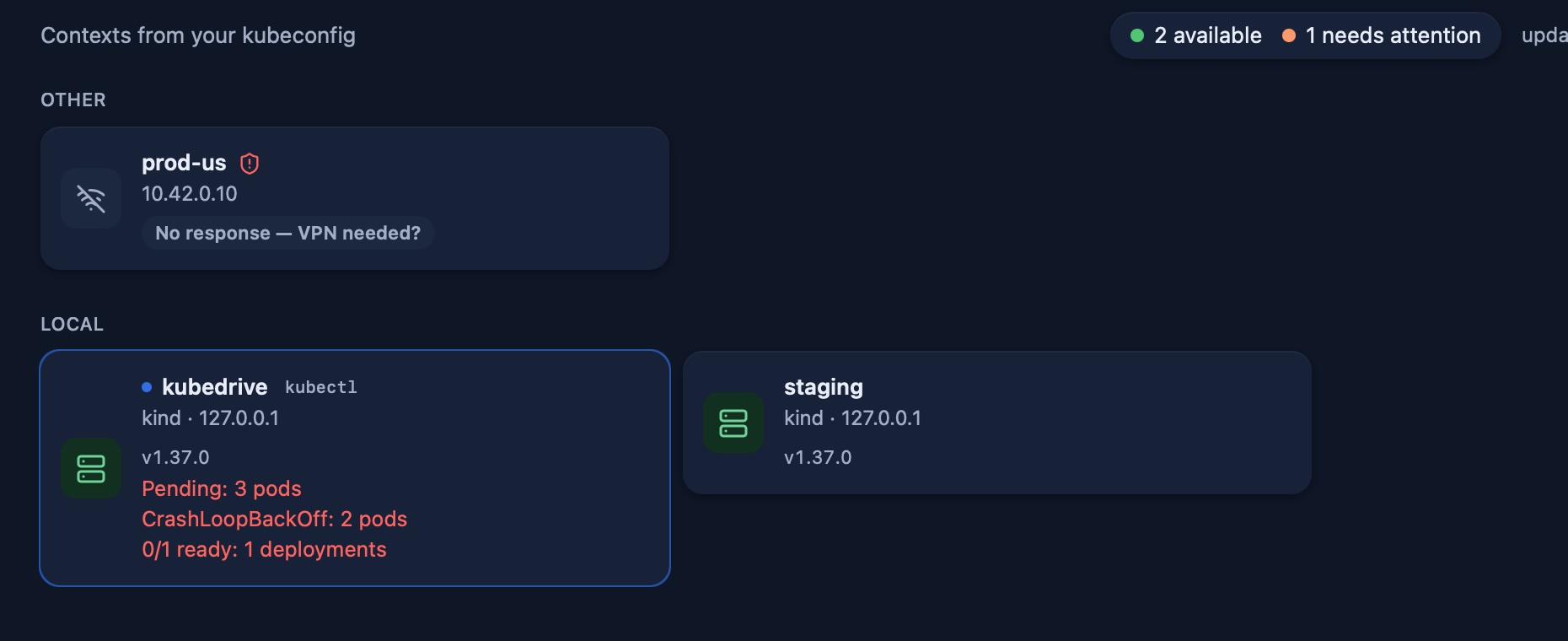
KubeDrive finds the cluster's Prometheus and charts CPU, memory and network by namespace, pod and node. Write PromQL, keep your own dashboards and see the alerts that fire.
Metrics and PromQL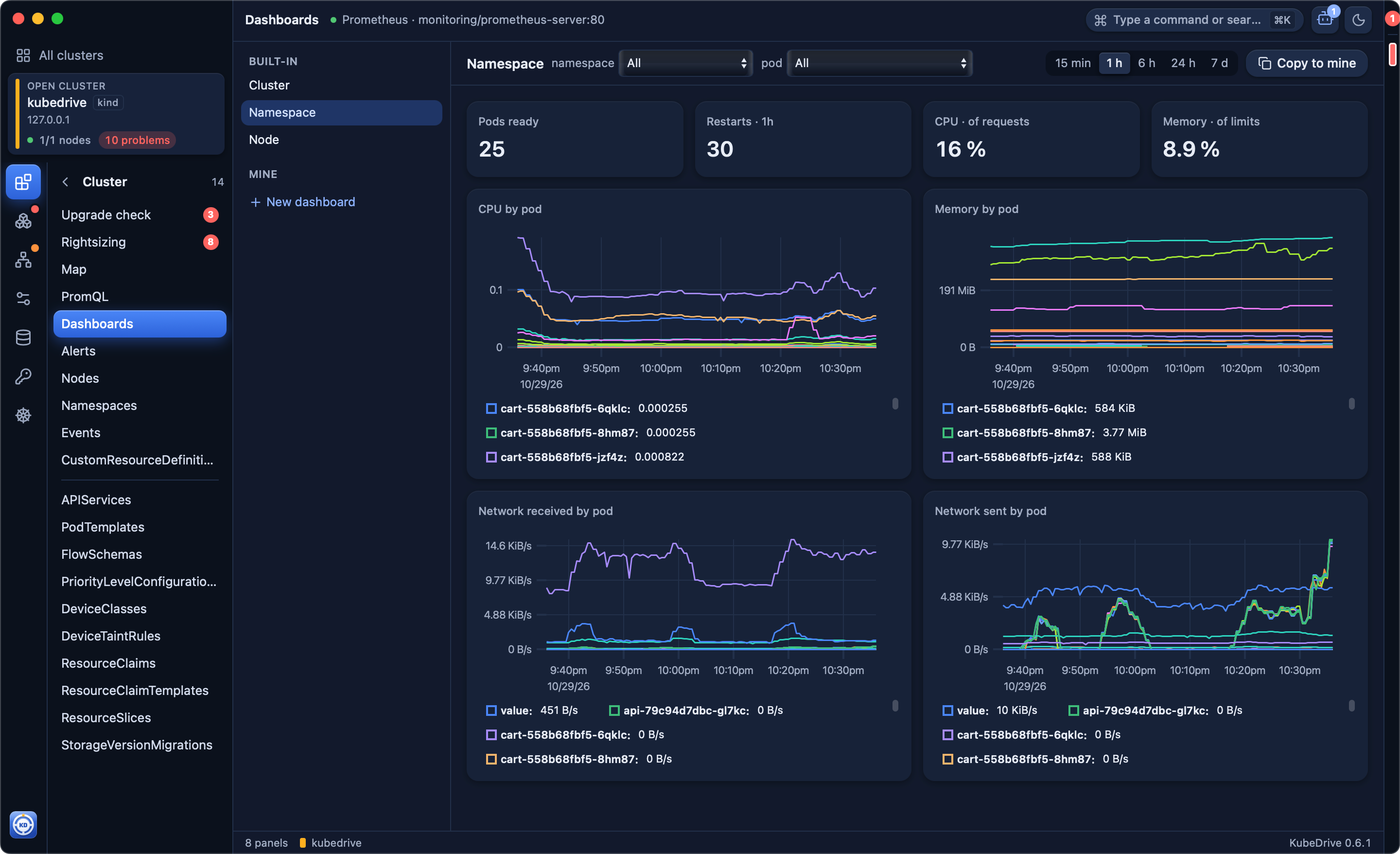
Add chart repositories and OCI registries, read a chart's README and default values, install with your values, upgrade with a manifest diff and roll back when a release goes wrong.
Helm in KubeDrive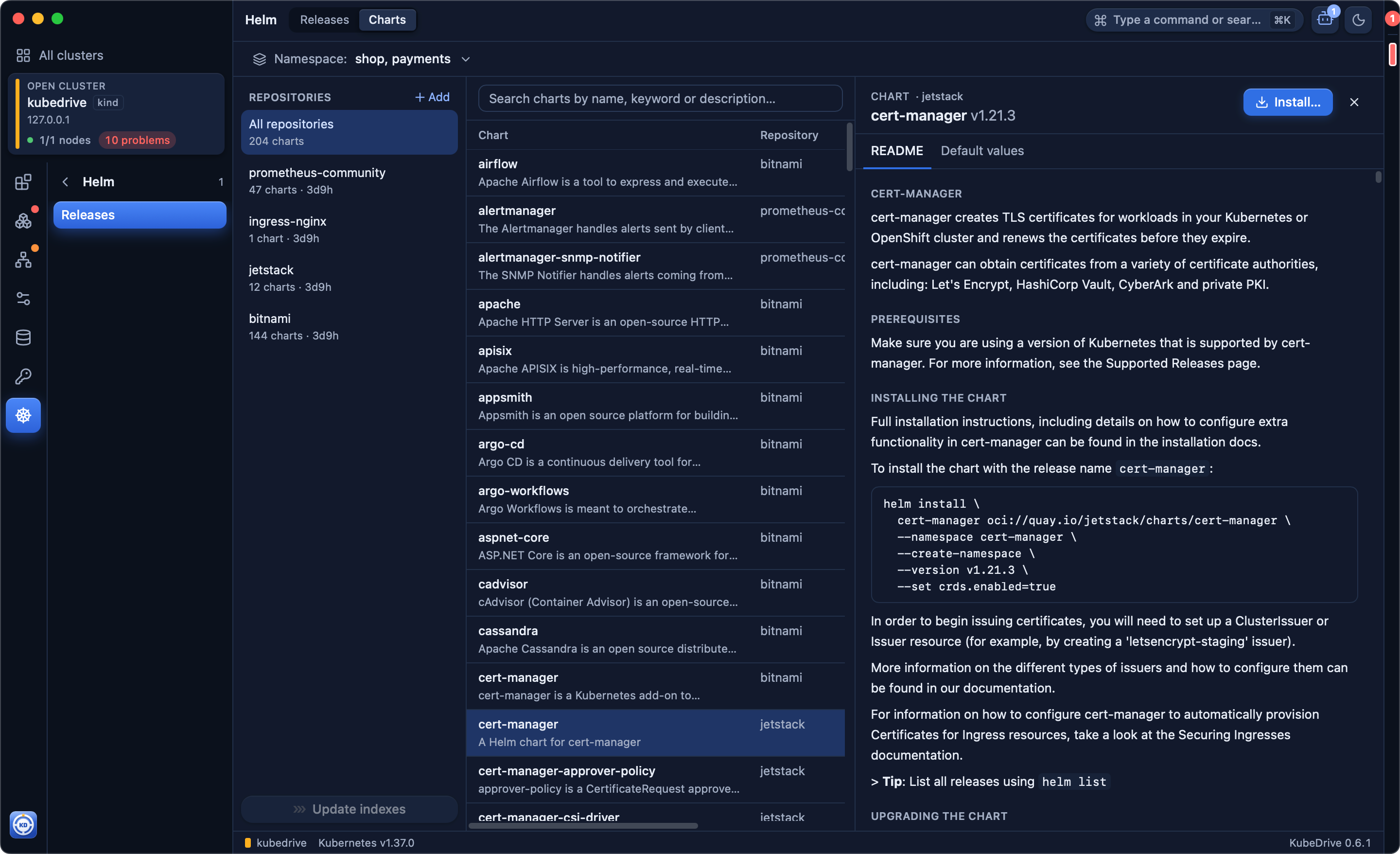
Turn on KubeDrive's local MCP server and Claude Code, Cursor or Codex read the clusters you pick, with your credentials. Secrets are never shared, and every change an agent proposes waits for your Allow.
Connect an agent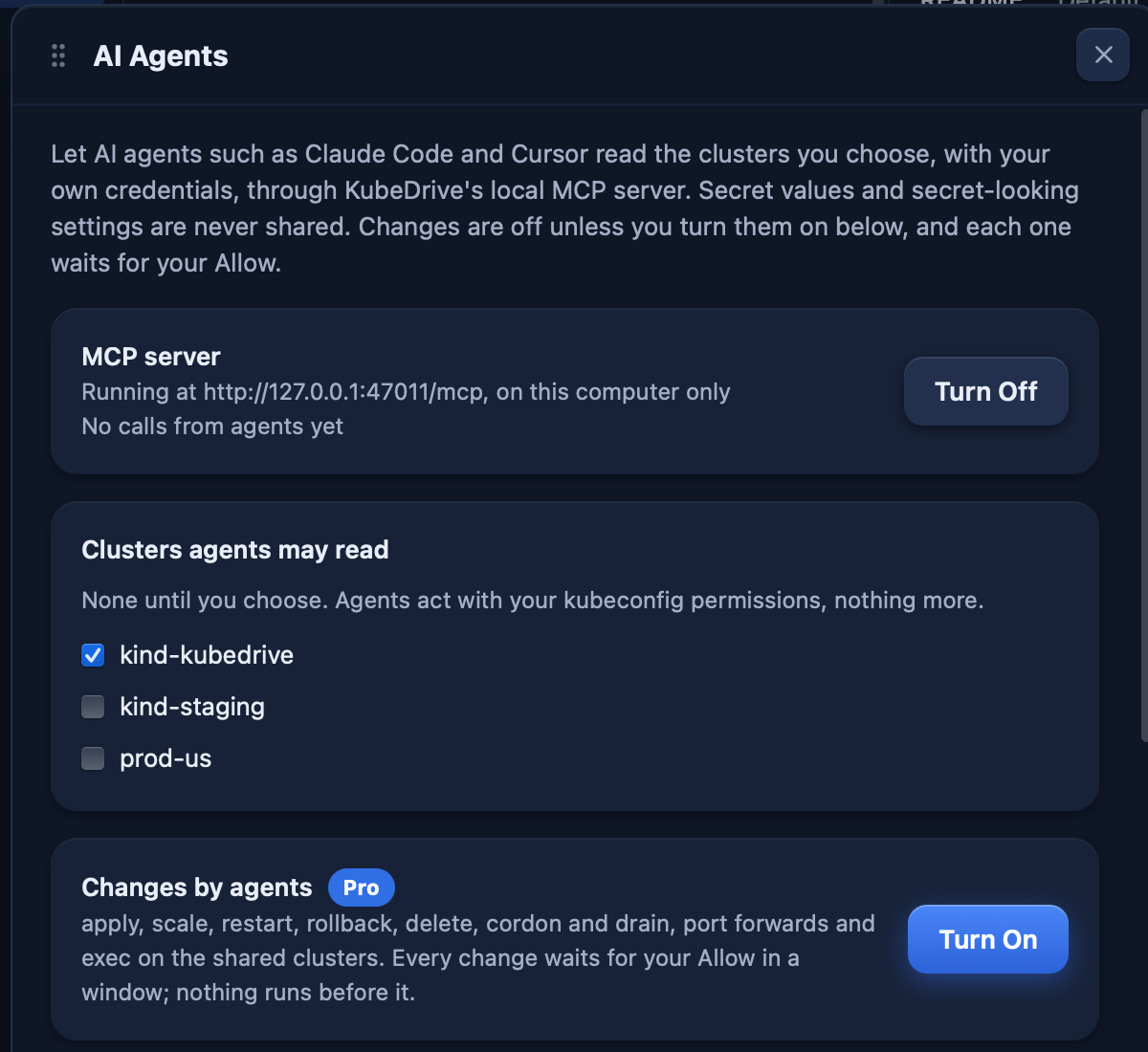
$0forever
For one developer and a couple of clusters.
Download$8per month
$79per year, about $6.60 a month
For professionals who live in many clusters.
Start 14-day free trialNo card needed. Start the trial in the app, under License.
For teams that share clusters. From 5 seats, $15 a seat a month, billed yearly.
Buy TeamPick the number of seats at checkout. The owner hands them out in the app.
Prices in US dollars. VAT included in the EU and UK; sales tax added where applicable. Polar, our reseller, may show them in your currency at checkout. Students and open-source maintainers get Pro free — write to us.
It reads the kubeconfig you already have. Nothing to set up on the cluster.
brew install --cask aleksskoz/tap/kubedrivemacOS 13 or later · Apple silicon and Intel · signed and notarized by Apple
Windows 10 1809 or later, Windows 11 · not code-signed yet: More info → Run anyway
sudo apt install ./kubedrive_0.6.7_amd64.debDebian 13, Ubuntu 24.04, Fedora 40 and newer · GTK 4 and WebKitGTK 6.0 come as dependencies